How to Make a Burning Bridges AI Video
Prepare the right portrait and review the recognizable Burning Bridges AI format using its matching example. Live generation is disabled.
Watch the matching example
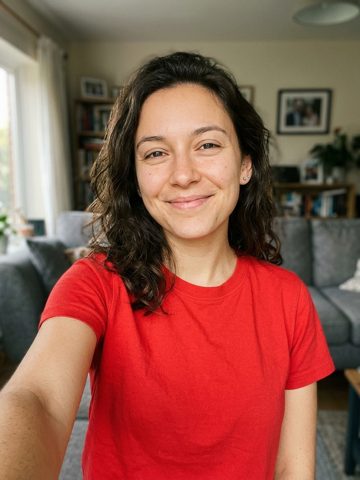 Lead portrait
Identify the exact trend
Burning Bridges AI refers here to photo-based remakes of the recognizable party-video sequence associated with Drake. It is a party performance format, not a literal burning bridge or an orange-studio rap duet. The lead, surrounding guests, close handheld camera and cup gestures define this specific video idea.
Watch the matching reference first
The reference above follows the party sequence with a foreground lead, a hand near the face, a raised cup and movement toward the camera. Watch those actions across the clip rather than judging a single party frame. A birthday rap at a fixed studio microphone would not be a matching substitute for this trend.
Choose a suitable portrait
Use one clear, consenting adult portrait with the face and upper body visible. Avoid heavy filters, sunglasses or hands covering the source face. This workflow prepares the foreground lead; it does not offer a separate identity replacement for every guest. A wider group photo is not a substitute for a clear lead portrait.
Select the workflow and preview the photo
Open the Burning Bridges AI template linked below. Confirm that it is selected, then choose your portrait and inspect the local preview. There is one lead-photo slot for this format. Watching the reference or choosing a file does not send the photo to a provider. The dedicated workflow uses one portrait, a 15-second 720p reference edit and 20 credits per generation. Confirm your permissions and displayed price before submitting.
Review movement and sound before sharing
Inspect the face during the close-up, hand gesture, cup raise and move toward the lens. Check the body, hands and cup for continuity as well as the surrounding room. The defining sequence is more specific than asking for a new party background, so it needs an appropriate motion reference and a dedicated output check. A party-style video and the original song recording are different parts of the result. This external input/output example is silent; a live service may also ask you to add licensed sound in the posting app. Do not assume a model transfers a soundtrack, and do not treat example playback as a music license or artist endorsement.
Performance direction
Inspect the face during the close-up, hand gesture, cup raise and move toward the lens. Check the body, hands and cup for continuity as well as the surrounding room. The defining sequence is more specific than asking for a new party background, so it needs an appropriate motion reference and a dedicated output check.
Troubleshooting
Check that you selected Burning Bridges AI, not a generic rooftop, party or orange-booth workflow. Preserve your photo selection while reviewing an error. Do not start duplicate paid attempts after an uncertain response.
Frequently asked questions
Is Drake Burning Bridges AI a separate effect?
It is an artist-qualified name for the Burning Bridges party format described on this page.
Is this the same as a generic party rap video?
No. The close handheld sequence, hand-to-face gesture and raised cup distinguish this example.
How many portraits does this page prepare?
One portrait for the foreground lead, rather than two performers or the whole crowd.
Does the video include the original recording?
This page does not promise an original-song recording. Inspect the actual sample and the supported soundtrack behavior of a live service.
Related guides
How to Make a Hotel Lobby AI Video
Read as Markdown